 AIGCLIST
AI Flying Car Generator
Upload one photo and AI puts you behind the wheel of an ordinary car that is calmly hovering over traffic, white vapor under the wheels, as if it were a normal Tuesday.
Updated Oct 18, 2026
Sign in to upload your photos
Free and takes seconds. Your photos are only used to make your image.
1Add one clear photo
A sharp, well-lit photo with your face clearly visible works best. One person only.
2Pick the scene
3Pick quality
4Add a detail (optional)
OptionalName the car colour or one prop.
By generating, you confirm you have the right to use this photo.
- Failed renders are freeIf a render fails or is blocked, the credits go straight back.
- No subscriptionBuy credits once. They never expire.
- Still looks like youThe model works from your photo, so the result keeps your face, hair and skin tone.
- Secure checkoutPayments by Stripe. We never see your card.
Examples
Example scenes
Sample looks for each scene. Your own result will be built around your photo.
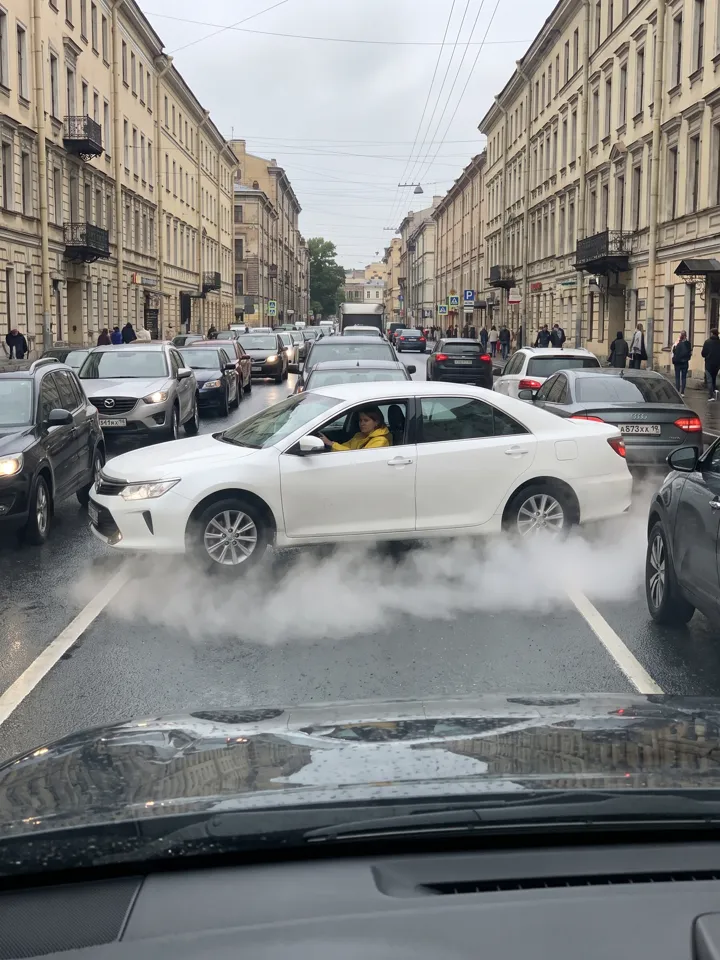
Traffic hop
Traffic hop
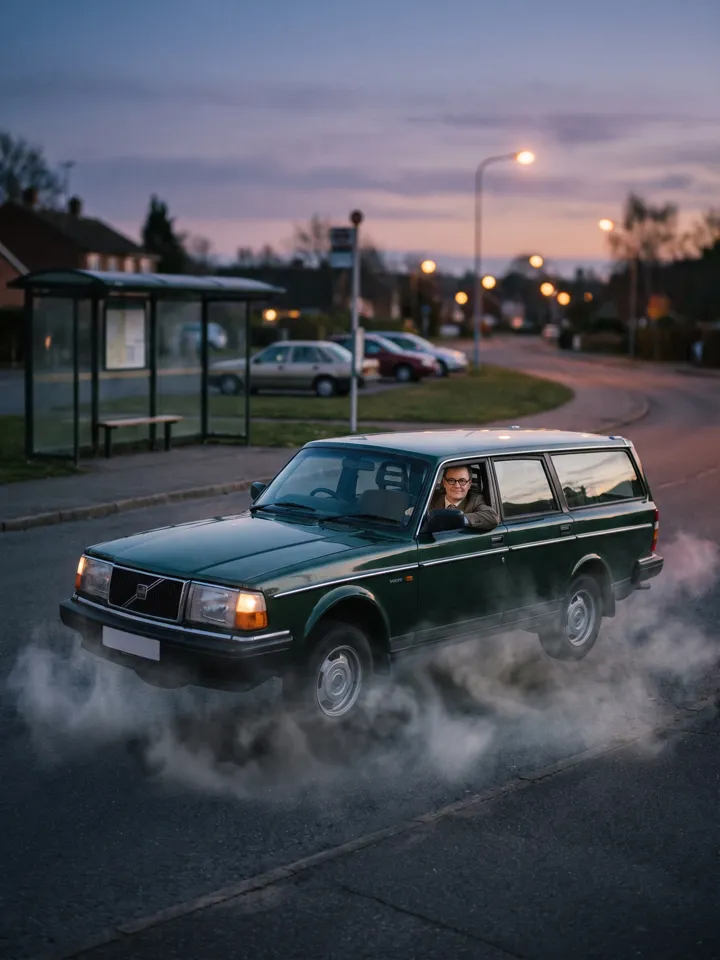
Sunset hover
Dusk crossroads
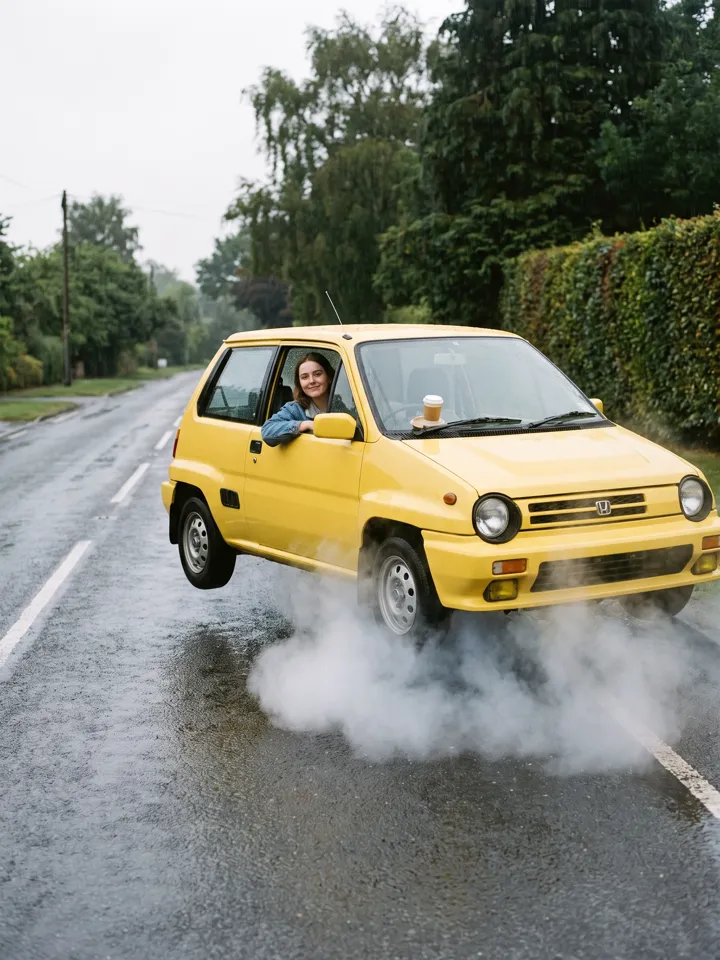
News chase
Wet morning road
The trend
What is the AI flying car trend?
The flying car meme works because it stays small and ordinary: a family hatchback or an old sedan lifts about a metre on white vapor, glides over the traffic ahead and settles back down, filmed like a shaky phone video. Nothing explodes; the joke is how calm everyone is.
This generator makes the still version with you in it. Pick a scene, name the car colour if you care, and the model keeps your face while it builds the street. Caption it yourself: "POV: they try to stop me" does most of the work.
A flying car is the most familiar promise of the future, which is why a calm, slightly shabby one is funny. The trend works because nothing about it is futuristic except the fact that the car is off the ground: same hatchback, same dusty paint, same mildly bored driver.
The three scenes cover the usual camera angles. Traffic hop looks down on a jam from just above the cars, news chase imitates a live helicopter feed, and sunset hover is a quiet establishing shot. Each one frames you in the driver’s seat so your face stays readable.
Think of the output as a poster frame. It is a single high-resolution image meant to be posted, captioned or turned into a cover; it does not move. That makes it fast to produce and easy to reuse across platforms.
Three steps
How it works
- 01
Upload a photo
A clear photo of you, face visible, ideally sitting down.
- 02
Pick the scene
Traffic hop, news chase or sunset hover. Add the car colour if you like.
- 03
Download
Your image appears below in about a minute.
Styles
Three flying car scenes
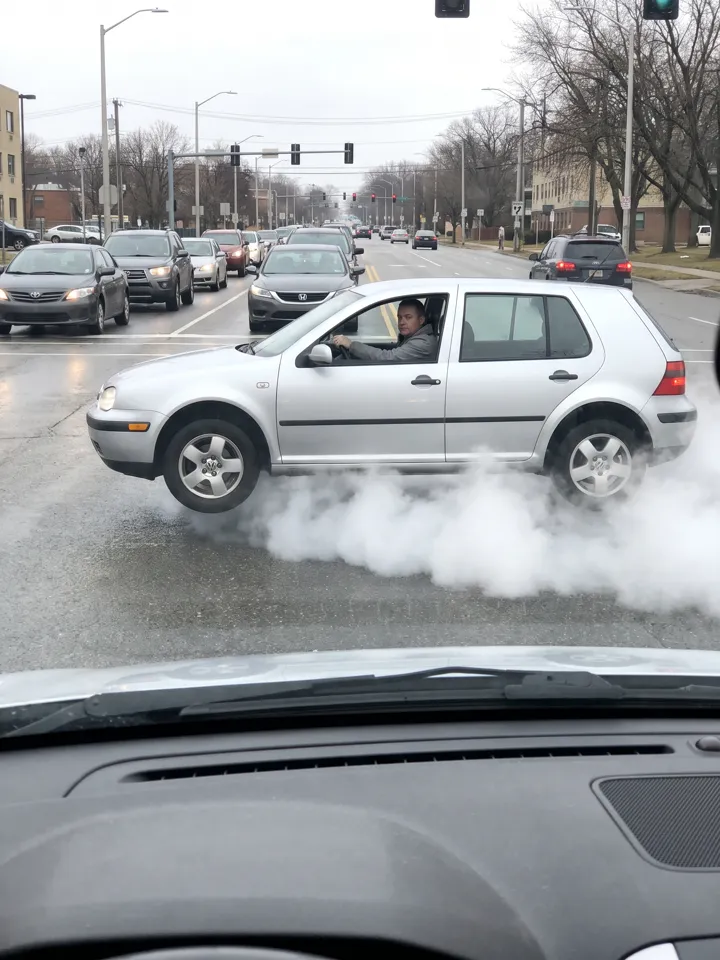
Traffic hop
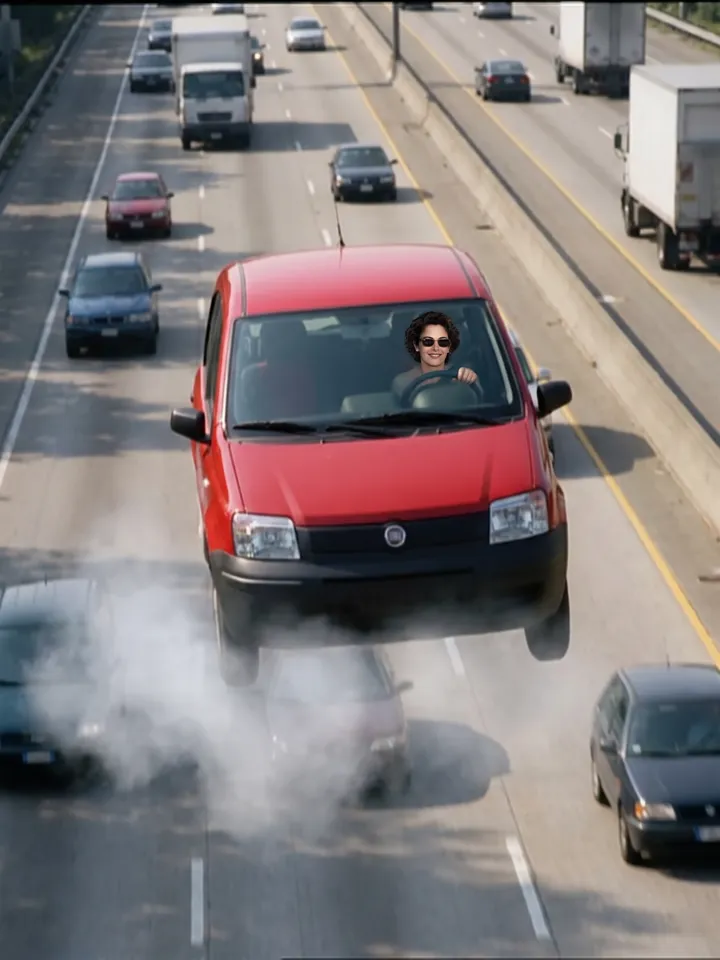
News chase
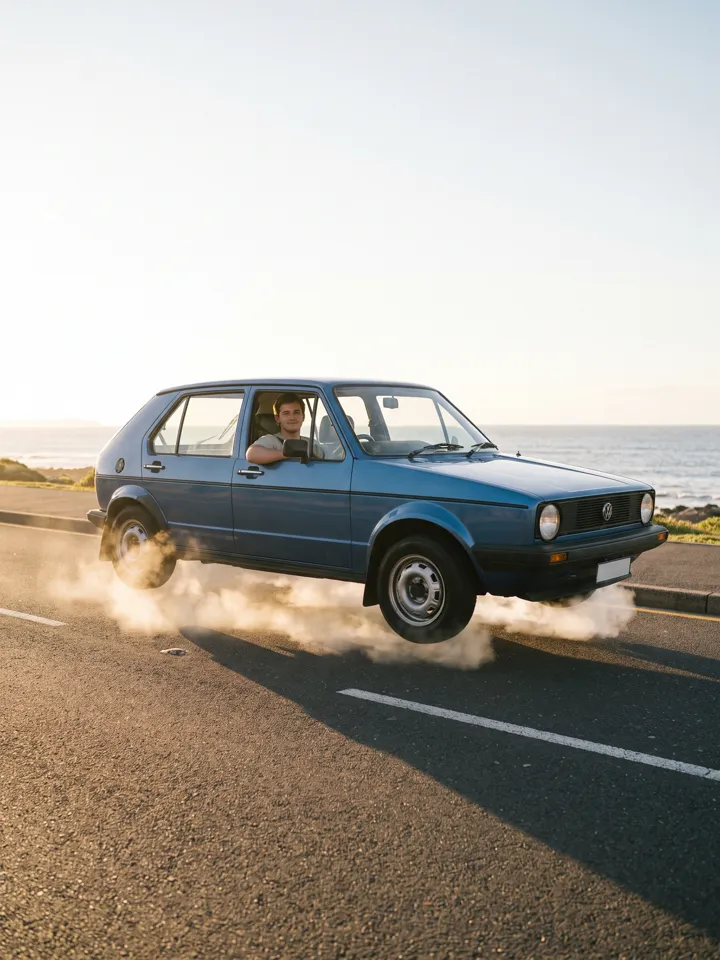
Sunset hover
Ideas
Ways to use it
Commute caption
"Me on my commute tomorrow" over the traffic-hop image.
Fake news screenshot
The news-chase look reads like a breaking-news still; keep it obviously jokey.
Road-trip cover
Use the sunset hover as the cover for a road-trip album.
Video storyboard
Use the image as the opening frame when you edit a flying-car clip.
Car-sale joke
Use the traffic-hop image as the "now with extra features" photo in a tongue-in-cheek listing.
Commute caption
Post it with "Traffic was bad today" and let the picture do the rest.
Fake breaking news
The news-chase scene suits a clearly labelled parody headline.
Wallpaper
Sunset hover works as a phone wallpaper once cropped to your screen.
Photo tips
Photos that work best
- Use a photo where your face is sharp and fills a good part of the frame.
- Even, natural light beats harsh flash or strong shadows.
- One person per photo. Group shots confuse the model.
- Half-body photos carry your outfit into the scene better than tight face crops.
- Use a photo where you look slightly off-camera or relaxed; it matches the calm tone.
- Seatbelt, steering wheel and driver-seat poses all carry well from a seated selfie.
- Skip photos with strong glare on glasses; reflections can distort the eyes.
- Add the car colour in the detail field if you care, such as "a red hatchback".
Pricing
Buy credits once
No subscription. Pack credits never expire, and a failed render never costs you anything.
Starter Pack
$9.90
- 700 credits
- ≈ 17 images
- ≈ $0.58 per image
Popular Pack
$29
- 2,500 credits
- ≈ 62 images
- ≈ $0.47 per image
Crew Pack
$99
- 10,000 credits
- ≈ 250 images
- ≈ $0.40 per image
Secure checkout by Stripe · One-time payment · Credits never expire
| Quality | Credits per image |
|---|---|
| Standard · 2K | 40 |
| Ultra · 4K | 60 |
Alternatives
Not happy with the result? Try these
Other ways to make it, and tools to finish it. Same-effect tools are tested by AIGCLIST first; sponsored picks are labelled.

AI Picture Editor
Freemium
A web-based AI photo editor that processes images from text prompts — no signup, no download required. Supports background removal, photo restoration, product image creation, and headshot polishing with privacy-focused in-memory processing.

A browser-based AI upscaling tool offering 10× magnification and 12K output for photos, PDFs, and screenshots — with a free tier and credit-based premium access.

HitPaw Watermark Remover
Freemium
HitPaw watermark remover for photos and videos, online and on desktop
Is the flying car dangerous or graphic?
No. The scenes are calm: white vapor, daylight, everyone at a safe distance. No fire, no crashes.
Can I use a photo of my car instead of me?
The generator is built around a person at the wheel. Describe your car colour in the detail field instead.
How much does one flying car image cost?
Standard 2K images cost 40 credits and Ultra 4K images 60 credits. Credit packs are one-time payments, and a failed image refunds its credits automatically.
Will it still look like me?
The model works from your photo and is told to keep your face, hair and skin tone. A clear, well-lit photo gives the closest likeness.
What happens to my photo?
It is used only to make your image. Your results are listed only in your own account.
Why did my image fail?
Usually the photo was too dark, blurry or had several people. Your credits are refunded automatically; try again with a clearer single-person photo.
Can I choose the car model?
You can hint a colour or body type in the detail field, but brand logos are not reproduced. Expect a generic hatchback, sedan or estate.
Does it show my real car?
No. The tool uses your photo for the driver, not for the vehicle.
Is it a video?
It is a still image. For animated trends, see the video generators on this site.
Why is there white vapor under the wheels?
It is the trend’s visual shorthand for “this car is hovering”; the model adds it in every scene.
Can I make a wide image?
Images are 3:4 portrait. Crop to widescreen in any editor if you need a landscape cover.
What does it cost?
40 credits for 2K and 60 credits for 4K. Failed runs are refunded.
Can I use it in a video I publish?
Yes, as long as the video does not claim the footage is real.
Is my photo stored?
It is used to make your image and appears only in your own history.