 AIGCLIST
Alphaize
Alphaize is a credit-based AI image editor and generation workspace with free browser color tools, upfront credit quotes, and PSD + CSV batch options.
Benchmarks
How Alphaize scores on agent readiness and AI visibility AI Readiness and GEO Score are platform assessments generated by AIGCLIST after submission.
Decision summary
Overview
What is Alphaize?
Alphaize is an AI image editor and image generation agent presented as a single workspace for creating, editing, comparing, and downloading images. It is positioned for users who want to move from a text prompt or an uploaded image to a finished visual while seeing the credit cost before each task runs. The product combines generative models, editing tools, saved project versions, and optional batch workflows for PSD templates. Alphaize also offers free browser-based color tools for small image adjustments.
How Alphaize works
A workflow starts from a text description, an uploaded image, or a saved project version. Users choose a model and output size, submit the task, and see an upfront credit quote before generation runs directly in one step. The workspace keeps generated and edited versions, so an earlier image can be reopened and refined. The site states that users sign in to download the full-resolution result; guest browsing includes 0 free credits, while signing in with Google provides 6 welcome credits. Free previews are also mentioned.
For editing, Alphaize accepts static PNG, JPEG, and WebP uploads. Uploaded inputs and generated outputs are stored in private project storage hosted on Cloudflare. Text instructions are screened by Waffo Prompt Sift, reference images and outputs are checked by SeeAPI, and required prompts and image inputs are sent to fal.ai to execute generation or editing. Free browser color tools process images on the user's device.
Main features
- Generate and edit in one workspace. Users can create images from prompts or edit an existing static image, then compare versions and download the chosen result.
- Upfront credit quotes. The exact credit cost is shown before every run, and the pricing page states that failed runs are refunded.
- Saved versions. Generated and edited images remain in the project, allowing earlier versions to be viewed or continued.
- Free browser color tools. Alphaize offers tools to change a matching color, make a solid color transparent, and pick a color from an image; these process images on the device.
- Targeted editing tools. The site lists text editing in images, an AI background changer, and an AI hairstyle changer. The background changer displays a 6-credit quote before it runs.
- Model choices. Listed models include MOSS Image for readable text, PhotoCraft for browser PSD layer editing, Seedream 5.5 for realistic images and transparent PNGs, and Seedream 5.0 Pro for Lite previews with presets.
- PSD + CSV batch workflows. Subscription plans include local PSD rendering and PNG ZIP export without AI credits, with plan-based limits on CSV rows, PNGs per run, and saved mappings.
Pricing
Alphaize uses credits. The free browser color tools do not require credits, and guest browsing includes 0 free credits; Google sign-in provides 6 welcome credits. One-time packs have no subscription and no auto-renewal, and the page states that their credits never expire: Starter Pack, 20 credits for $1.99 (about 1–5 HD images); Trial HD Pack, 150 credits for $6.90 (about 12–37 HD images); and Standard Pack, 300 credits for $12 (about 25–75 HD images).
Monthly subscriptions are Creator at $15 per month with 600 credits and 1 concurrent image task; Pro at $39 per month with 1,600 credits and 2 concurrent tasks; and Studio at $79 per month with 3,400 credits and 4 concurrent tasks. Yearly billing is listed as saving 20%, but exact annual totals are not shown on the supplied page. Subscription credits arrive after each confirmed payment and expire at the end of that billing period. Subscription plans list access to all available image generation and editing models, direct one-step generation, and pay-only-for-image-credits billing. Example task costs for 1 MP output include FLUX.2 Klein 9B at 4 credits to create and 6 to edit, FLUX.2 Pro at 9 and 11, and FLUX.2 Flex at 10 and 16.
Common use cases
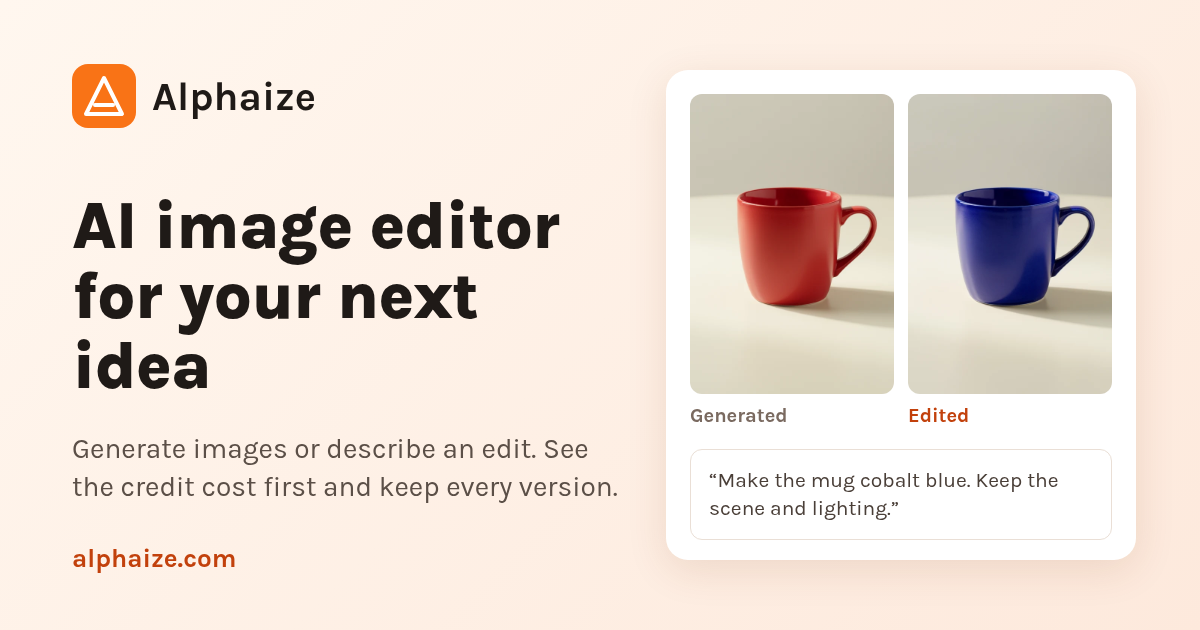
Alphaize is suited to prompt-based image creation and iterative editing, such as producing a concept image and then asking for a color or scene change. It can replace backgrounds, change hairstyles, or replace words in posters, menus, labels, and AI images while preserving the original font, color, and background. The free color tools fit small flat-color graphic adjustments, such as changing a logo color or removing a solid background. PSD + CSV batch workflows support template-based production with multiple rows and PNG outputs. The site shows examples including Instagram lookbooks and pet portraits.
Limitations
Generation and AI editing are credit-based; only the browser color tools are free, and guest browsing starts with 0 credits. Subscription credits expire at the end of each billing period, while one-time pack credits are described as non-expiring. Editing uploads are limited to static PNG, JPEG, and WebP files. PSD + CSV batch limits vary by plan, and local PSD rendering does not use AI credits but still depends on plan allowances. Image tasks rely on third-party processing and storage, including Cloudflare, Waffo Prompt Sift, SeeAPI, and fal.ai. The supplied pages do not list exact annual subscription prices, service-level guarantees, or output licensing terms.
Summary
Alphaize combines AI image generation, editing, saved versions, and optional PSD batch workflows in one credit-based workspace. It shows credit costs before each task and offers free browser color tools for lightweight adjustments. Pricing ranges from one-time credit packs to monthly Creator, Pro, and Studio subscriptions, with yearly billing advertised at a 20% saving.
Reviews (0)
No reviews yet. Be the first to rate this product!
Score anatomy
The dimensions behind the editorial score, each with its judgment note. AI Readiness and GEO Score are platform assessments generated by AIGCLIST after submission.
Evidence check
Public claims about this tool, each tagged with a verification status and its cited source.
Decision desk
The questions most worth resolving before you rely on the product or visit its official site.
Continue exploring
More in AI Photo & Image Editor
Published tools that share this product's primary category. They are discovery links, not editorial comparisons.

AI Picture Editor is a web-based tool that lets users edit photos by describing changes in natural language. Upload a JPG, PNG, or WEBP file, type a prompt, and download the result. No signup, no software installation, and no design skills required. The tool handles background removal, scene replacement, old photo restoration, product image creation, and professional headshot polishing. Images are processed in memory and deleted after download. A free tier is available; the Pro plan offers 4,000 credits per month with commercial rights and watermark-free output.

