
AIGCLISTAIGCLIST
PageUnfold
AI 工具评分卡

PageUnfold

PageUnfold 是一款 Chrome 网页转 PDF 扩展,可将长网页捕获为一份可搜索的 PDF,默认本地转换,且不强制添加水印。

免费AI PDF 助手pageunfold.com/?utm_source=aigclist.com&utm_medium=directory&utm_campaign=backlink
访问
发布于 2026年8月31日

基准评分

PageUnfold 在 Agent 就绪度与 AI 可见性上的得分 AI 就绪度和 GEO Score 是 VibeLaunch 在提交后生成的平台评估。

由 AIGC List 基准评分提供支持

决策摘要

PageUnfold

适合

  • 将长篇报告和研究主题保存为一个连续的 PDF
  • 捕获已在 Chrome 中打开的登录页面
  • 为 Obsidian、Notion 和 Evernote 等研究系统归档网页来源

注意

  • 需要 Google 登录
  • 免费方案有 PDF 下载限制
  • chrome:// 和 Chrome 应用商店等受限浏览器页面无法捕获

概述

PageUnfold 是什么?

PageUnfold 是一款 Chrome 扩展,用于将实时网页转换为一份单个、可搜索的 PDF。其宣称的定位是面向一页可搜索内容的网页转 PDF 扩展,而不是假设纸张页面的浏览器打印工作流。该产品面向长篇报告、研究讨论帖和需要登录的参考资料——用户希望保留、归档并在之后搜索这些内容,而不出现页面接缝、重复页眉或强制水印。

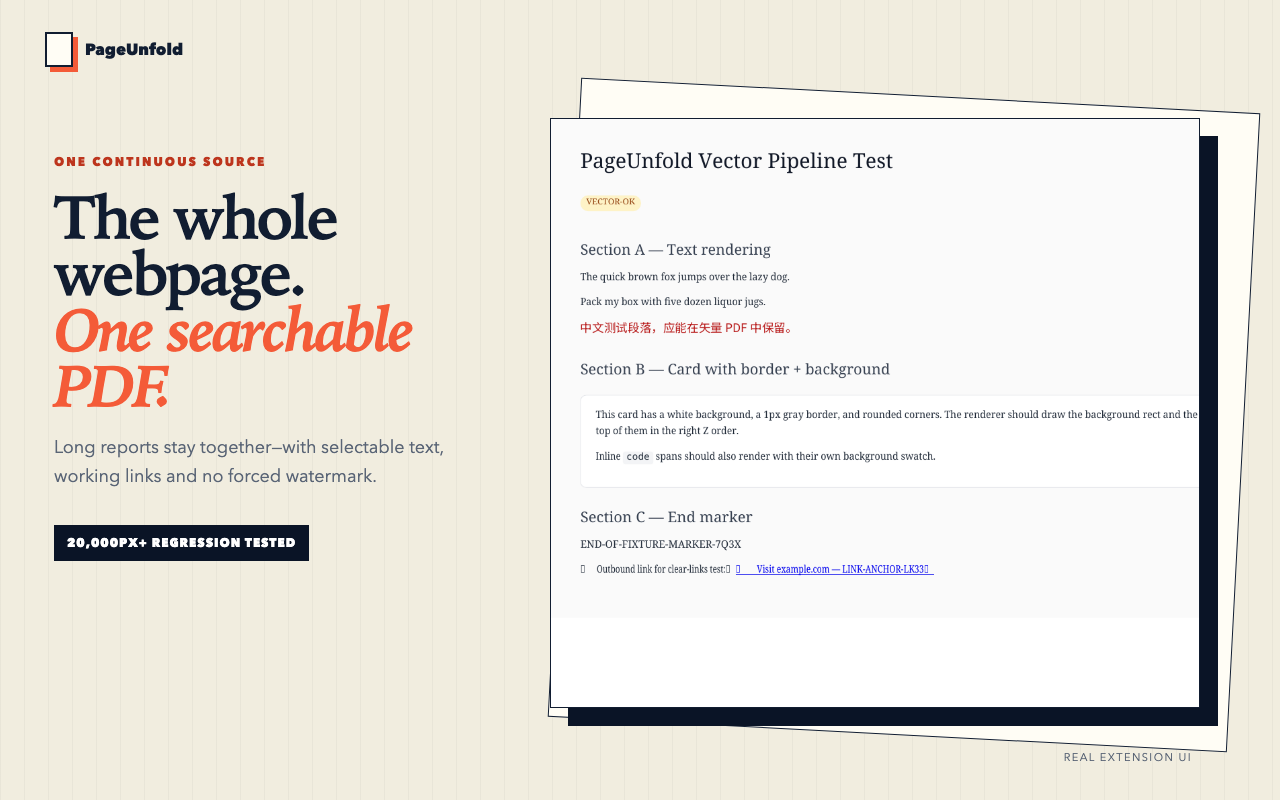
该页面在同一个 20,000px 或更长的长网页上,将 PageUnfold 与 Chrome 打印进行对比。在该对比中,Chrome 打印被显示为生成 8 页、重复页眉和卡片被截断,而 PageUnfold 被显示为第 1 页,共 1 页,可搜索、带链接且连续。页面还表示,四个长页面测试样例通过了一页输出测试。PageUnfold 捕获 Chrome 中已打开的页面,并将核心转换保留在设备上。

PageUnfold 如何运作

页面描述的工作流有三个步骤。首先,用户在 Chrome 中打开真实页面,并在需要时登录,然后显示他们打算保留的内容。其次,用户选择一页,可以选择窗口宽度,或选择 A4 宽度的连续页面。多页模式被描述为明确的替代选项,而不是默认选项。第三,用户预览或下载可搜索的 PDF,并将其归档到研究系统中。

对于懒加载内容,PageUnfold 会准备好实时页面,使按需加载的图片和区块能在捕获前出现;页面将此描述为滚动、等待稳定、保留。对于需要登录的页面,该扩展使用 Chrome 中已有的会话,并在登录后捕获实时标签页。页面说明 PageUnfold 从不会索要网站密码。

关于隐私,页面称核心转换在 Chrome 内部运行,不会将所选页面内容上传到转换服务器。账户和诊断请求在隐私政策中单独说明。输出不是截图:渲染管线会保留可搜索的矢量文本和普通 PDF 链接。页面提醒,复杂网站仍可能有所不同,因此长表格、懒加载、多区块和深色已认证测试样例都是发布门槛的一部分。

主要功能

  • 一页连续:默认承诺是一份单个可搜索页面,多页输出作为明确的替代选项提供。
  • 可搜索矢量文本:PDF 支持文本搜索,页面上表示为 ⌘F 可搜索矢量文本。
  • 可用链接:页面说明普通 PDF 链接会被保留。
  • 不强制加水印:页面列出零标记且不强制添加水印。
  • 默认本地:核心转换保留在设备上,不会将所选页面内容上传到转换服务器。
  • 登录状态捕获:使用当前 Chrome 会话中已可见的内容,不索要网站密码。
  • 懒加载内容处理:准备好实时页面,使按需加载的图片和区块能在捕获前出现。
  • 阅读器视图和干净打印:本地选项,用于移除干扰。
  • PDF 预览和下载:用户可以预览、搜索并下载普通 PDF。
  • 知识工作归档:页面提到 Obsidian、Notion 和 Evernote,以及用于私密仪表盘的本地库。
  • Chrome 网上应用店上架:版本 0.1.0 已获批并公开上架。

定价

页面提供免费方案:添加到 Chrome——免费。它说明所有功能都在免费方案中。它还说明需要登录 Google,并适用 PDF 下载限制。所提供页面未提及其他定价层级、付费方案或价格。因此定价摘要为免费,需登录 Google,并适用 PDF 下载限制。

常见使用场景

PageUnfold 面向知识工作,而不是一次性打印。长页面、报告、表格和对话会保持在一起,而不会在纸张边界处被切断。需要登录的参考资料可以从实时 Chrome 会话中捕获。懒加载页面可以预先准备,使按需加载的图片和区块能在捕获前出现。

对于归档,页面描述将来源与 Obsidian 中的笔记一起存档,并保留一份稳定的 PDF,其中的引文可选中且原始链接保留。对于 Notion 和 Evernote,页面描述一次性附上整个参考资料,而不是一文件夹编号的页面片段。对于本地库,页面描述在本地保存私密仪表盘,而不将底层页面交给转换服务。据说同一套可重复的捕获工作流也用于制作 Chrome 网上应用店素材。

局限性

页面列出若干限制。需要登录 Google。适用 PDF 下载限制。受限浏览器页面,例如 chrome:// 和 Chrome 网上应用店,无法捕获。需要登录的页面只有在当前 Chrome 会话中已打开且可见时才能保存;该扩展不索要网站密码。复杂网站可能有所不同;发布门槛包括长表格、懒加载、多区块和深色已认证测试样例。该工具被描述为 Chrome 扩展,因此工作流依赖 Chrome。核心转换默认在本地进行,但账户和诊断请求单独说明,因此本地转换并不意味着没有网络活动。所提供页面列出版本 0.1.0,这是一个早期版本。

总结

PageUnfold 是一款 Chrome 网页转 PDF 扩展,专注于一页可搜索内容。它捕获 Chrome 中已打开的实时页面,将核心转换保留在设备上,并力求避免页面接缝、重复页眉和强制水印。免费方案需要登录 Google,并适用 PDF 下载限制。它面向知识工作者,用于将长篇报告、研究讨论帖、需要登录的参考资料和私密仪表盘归档到 Obsidian、Notion、Evernote 或本地库。用户应权衡一页默认模式与所述限制:受限页面无法捕获,复杂网站可能有所不同,需要登录 Google,并适用 PDF 下载限制。

评价 (0)

—0 条评分

还没有评价。成为第一个评价的人!

评分构成

编辑评分由哪些维度构成,每项附判断依据。 AI 就绪度和 GEO Score 是 VibeLaunch 在提交后生成的平台评估。

Information quality

Landing page clearly states the core promise, shows a direct comparison table against Chrome print (8 pages, repeated header, clipped cards vs. 1 page, searchable, no watermark), and answers five concrete pre-install questions. Missing: publisher identity, release date and a detailed pricing/limit breakdown.

8.5
强信号

https://pageunfold.com/?utm_source=aigclist.com&utm_medium=directory&utm_campaign=backlink — sections 'Same long webpage 20,000px+', 'Chrome print 8 pages · repeated header · clipped cards', and '05 · Before you install Questions worth asking.'

Ease of use

Deliberately minimal: install the extension, open the page, pick 'one page' (default) or an explicit multi-page alternative, then preview or download. No dashboard or account setup beyond Google sign-in is described.

8.8
强信号

https://pageunfold.com/?utm_source=aigclist.com&utm_medium=directory&utm_campaign=backlink — '04 · The workflow 1 Open the real page ... 2 Choose one page Use Window width or an A4-width continuous page. Multi-page modes are explicit alternatives. 3 File the PDF Preview or download searchable output'.

Feature depth

Focused feature set rather than a broad tool suite: single-page continuous output, Window width or A4-width rendering, explicit multi-page modes, Reader View and Cleanly Print cleanup, searchable vector text and working PDF links, and lazy-content settling before capture. No OCR, editing, batch capture or cloud library is claimed.

7.2
依赖场景

https://pageunfold.com/?utm_source=aigclist.com&utm_medium=directory&utm_campaign=backlink — 'Lazy content Scroll, settle, preserve', 'Keep the signal. Reader View and Cleanly Print remove distractions locally.', 'A document, not an image. Preview, search and download an ordinary PDF.'

Workflow fit

Explicitly positioned as a source-file generator for knowledge-management workflows, with named destinations (Obsidian archive beside a note; Notion & Evernote whole-reference attach; local libraries for private dashboards). Fits research filing, not printing or bulk archiving.

8.0
强信号

https://pageunfold.com/?utm_source=aigclist.com&utm_medium=directory&utm_campaign=backlink — '02 · For knowledge work A cleaner source file for the systems you already use.' with 'Obsidian Archive the source beside your note.' and 'Notion & Evernote Attach the whole reference once.'

Reliability

Publishes test-fixture evidence and a release gate (long-table, lazy-load, multi-section, dark authenticated fixtures; 'Four long-page fixtures passed'), but openly warns complex websites can still vary. Track record is early: version 0.1.0.

7.0
依赖场景

https://pageunfold.com/?utm_source=aigclist.com&utm_medium=directory&utm_campaign=backlink — 'Four long-page fixtures passed', 'Complex websites can still vary, which is why long-table, lazy-load, multi-section and dark authenticated fixtures are part of the release gate.', and 'Version 0.1.0 was approved and is publicly listed.'

Value

All features are stated to be on the free plan, which is strong value for a single-purpose converter; the caveat is a PDF download limit and mandatory Google sign-in, so heavy users may hit a wall. No paid tier or price is published.

8.5
强信号

https://pageunfold.com/?utm_source=aigclist.com&utm_medium=directory&utm_campaign=backlink — 'All features on the free plan · Google sign-in required · PDF download limit applies' and 'Add to Chrome — Free'.

评分反映可查证的产品资料,不代表实际使用效果保证。

Agent 就绪度

评估 Agent 能否通过产品的官方信息理解产品,并重建一条有文档依据的工作流程。

Automated agent-readiness assessment of https://pageunfold.com?utm_source=aigclist.com&utm_medium=directory&utm_campaign=backlink: 1 of 22 checks verified across 1 fetched pages. No substantial machine interface is documented — agents can understand and cite the product but not operate it. Absent: docs, llms_txt, agent_tooling_artifacts, quickstart, api_reference, authentication.

就绪度维度

评估维度得分
文档质量0
执行结果可验证性0
机器接口0
项目定位清晰度75
资源可发现性30
工作流完整度0

对 Agent 有帮助的部分

  • sitemap: verified during this run

Agent 受阻的部分

  • No documentation or developer pages discovered from the entry page or well-known paths.
  • llms.txt is absent (HTTP probe during this run).
  • No agent instruction files, code-distribution commands, or named slash-command skills found across fetched pages.
  • No quickstart signal matched across 1 fetched pages.
  • No authentication signal matched across 1 fetched pages.
  • No request examples signal matched across 1 fetched pages.

证据核查

关于该工具的公开声明,每条均标注核验状态与引用来源。

Web to PDF Extension for One Searchable Page — PageUnfold6
pageunfold.com已验证核验于 2026年9月29日

The entry page was fetched and analyzed for machine-interface signals (title, headings, developer links, keyword probes).

PageUnfold is a Chrome extension that renders a long webpage as one continuous, searchable PDF rather than paper-style pages.

Core conversion runs locally in Chrome and selected page content is not uploaded to a conversion server, though account and diagnostic requests are handled separately per the privacy policy.

The free plan includes all features but requires Google sign-in and applies a PDF download limit; no paid tier is mentioned on the page.

The extension can capture pages behind a login only when they are already open and visible in the current Chrome session, and cannot capture restricted browser pages.

Output preserves searchable text and ordinary PDF links rather than being a screenshot, and the product is publicly listed in the Chrome Web Store at version 0.1.0.

https://pageunfold.com/?utm_source=aigclist.com&utm_medium=directory&utm_campaign=backlink
https://pageunfold.com/sitemap.xml1
pageunfold.com已验证核验于 2026年9月1日

sitemap.xml is reachable and lists site pages.

https://pageunfold.com/sitemap.xml
Web to PDF Extension for One Searchable Page — PageUnfold

Official product landing page fetched; covers positioning, comparison with Chrome print, workflow, FAQ, privacy stance and Chrome Web Store listing status (v0.1.0). No pricing page, company page or dated changelog was fetched. · 2026年9月29日

决策核对台

在依赖该产品或访问官网前,最值得先确认的问题。

核心转换在 Chrome 内运行,不会将所选页面内容上传到转换服务器。账户和诊断请求在隐私政策中单独说明。

可以,当该页面已在当前 Chrome 会话中打开并可见时。chrome:// 和 Chrome 应用商店等受限浏览器页面无法捕获。

不是。渲染流程会保留可搜索文本和普通 PDF 链接。复杂网站仍可能存在差异,因此长表格、懒加载、多区块和深色已登录测试样例都是发布关卡的一部分。

是的。0.1.0 版已获批准并公开上架。本页的安装按钮链接到真实的 Chrome 应用商店列表。

页面表示可免费添加到 Chrome,所有功能都在免费方案中,需要 Google 登录,并且有 PDF 下载限制。

请在官网核验

继续探索